Pixfun vs Happy Color: Which Coloring App Fits You?
Pick Happy Color if you want the biggest paint-by-number library on the market — 40,000+ illustrations, including licensed Disney and Marvel art, backed by years of polish. Pick Pixfun if you prefer pixel-grid coloring and want AI on your terms: type a prompt, get a brand-new puzzle, color it. Pixfun is available now on the App Store and Google Play; Happy Color is the established giant.
Updated
| Feature | Pixfun | Happy Color |
|---|---|---|
| Art type | Pixel grids — every square is a numbered pixel | Illustrations with numbered regions |
| Library size | 10,000+ curated artworks in 15 categories | 40,000–50,000 pictures, with daily additions |
| Licensed art | No licensed brands | Disney and Marvel collections |
| AI generation | Opt-in AI Studio — you write the prompt, 10 styles | No prompt tool; users report AI images mixed into the catalog |
| Photo import | Turn a photo into a colorable pixel puzzle | Not offered |
| Pricing model | Free download; Pro from $7.99/month or $39.99/year | Free, heavily ad-supported |
| Free trial | 3-day trial on weekly, 7-day trial on yearly | No subscription to trial |
| Ads | Some ads on free tier; rewarded ads always optional | Heavy — reviews often mention an ad after every picture |
| One-time no-ads purchase | $9.99 removes interstitials and banners forever | Remove-ads purchase available |
| Availability and platforms | iOS and Android — free download | iOS and Android, mature offline mode, years on the stores |
Choose Pixfun if…
- You like pixel-grid coloring — small squares, satisfying fills — more than shading big illustration regions.
- You want AI that works for you: type a prompt like "a brown owl peeking out of a hollow" and color the result, instead of finding AI images mixed into a library.
- You want to turn your own photos into colorable puzzles.
- You want a clear path out of ads: a $9.99 one-time purchase, or Pro with a free trial.
Choose Happy Color if…
- You want a huge library right now — 40,000+ pictures dwarfs Pixfun's 10,000+.
- Disney or Marvel art matters to you; Pixfun has no licensed brands.
- You want a proven, mature app with years of reviews behind it — Pixfun is new on the stores and its ratings are still accumulating.
- You color offline a lot and want an app with years of offline polish behind it.
Is Happy Color free? Is Pixfun free?
Both are free to download. Happy Color is one of the most successful ad-supported apps around — the whole catalog is free, but reviews frequently mention heavy ad breaks, often after every picture. A remove-ads purchase exists. Pixfun is also free to play, with lighter ads and two exits: a one-time $9.99 "no ads forever" purchase, or Pixfun Pro ($3.49/week with a 3-day trial, $7.99/month, or $39.99/year with a 7-day trial) which unlocks all artworks, removes ads and watermarks, and adds monthly AI credits and coins. Prices are USD and may vary by region.
Which app handles AI better?
This is the biggest difference. Happy Color users report that many low-quality AI-generated images now sit in the catalog alongside the hand-made art, and reviews mention it often — the AI arrives whether you want it or not. Pixfun flips that: AI is opt-in and user-directed. In AI Studio you type any prompt and get a brand-new colorable pixel puzzle in about a minute, in one of 10 styles from Kawaii to Cyberpunk to Noir. You wrote it, so you know what you're coloring. If you never open AI Studio, the 10,000+ artwork library is curated.
Pixel grid or illustration — what is the actual difference?
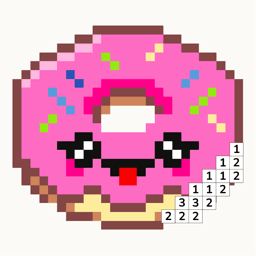
Happy Color gives you full illustrations divided into numbered regions — you tap a shape, it fills with a smooth color, and the finished piece looks like a painted picture. Pixfun gives you a pixel grid: every single pixel is numbered, and you fill them one square at a time on an Easy 32×32, Medium 64×64, or Hard 96×96 canvas. The finished piece is crisp pixel art. Neither is better; they feel different. Region coloring is broad and quick, pixel coloring is small, steady, and tactile. Try the one that matches how you unwind.
Which has the bigger library?
Happy Color, and it isn't close. Around 40,000–50,000 pictures, daily additions, and licensed Disney and Marvel collections — no other coloring app matches that scale. Pixfun starts you with 10,000+ curated artworks across 15 categories (Cute, Kawaii, Fantasy, Mandala, Monsters, and more). The trade-off: Pixfun's library is effectively unlimited if you count what you can make — every AI prompt and every photo you convert becomes a new puzzle. If you want endless ready-made pictures, Happy Color wins. If you want to color things you thought up, Pixfun does that.
Is Pixfun available now?
Yes — Pixfun is free to download on the App Store and Google Play. It's new on the stores, so its ratings are still accumulating, while Happy Color has years of reviews and a mature offline mode behind it. If pixel grids, prompt-driven AI, and photo-to-puzzle sound like your kind of calm, download Pixfun and see. No timers, no move limits — just numbered pixels and cheering you on.
Frequently asked questions
Does Happy Color have AI-generated art?
Users report that a large number of AI-generated images have been mixed into Happy Color's catalog, and reviews frequently mention the quality dip. Pixfun takes the opposite approach: the 10,000+ library is curated, and AI only appears when you ask for it — you type the prompt, it costs 1 AI credit, and the puzzle is yours to color.
Can I turn my own photo into a puzzle in either app?
Only in Pixfun. It converts a camera or library photo into a colorable pixel puzzle — from your photo to a puzzle. Happy Color does not offer photo import; you color from its catalog. If personal photos are the draw, Pixfun is the one to download.
Which app has fewer ads?
Pixfun, on the free tier — and both apps sell a way out. Happy Color reviews often describe an ad after every finished picture. Pixfun keeps ads lighter, makes rewarded ads optional, and offers a one-time $9.99 purchase that removes interstitial and banner ads forever. Pixfun Pro also removes ads, plus watermarks.
Does Pixfun work without an account?
Yes. Pixfun is anonymous by default — download and start coloring. Optional sign-in with Apple, Google, or email syncs your progress, streaks, coins, and levels across devices. Happy Color also lets you color without an account.