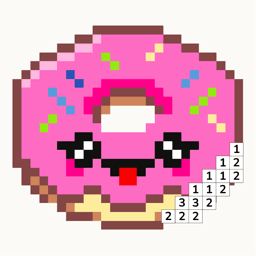
Pixfun vs Pixel Art: Color by Number (Easybrain)
Both apps share the same cozy loop: numbered pixel grids you fill one tap at a time. Pixel Art: Color by Number (Easybrain) wins on sheer size — 20,000+ images and years of polish. Pixfun, free to download on iOS and Android, adds what Easybrain doesn't have: type a prompt or import a photo and get a brand-new puzzle, plus a $9.99 one-time no-ads option. Pick Easybrain for volume; pick Pixfun for art that's yours.
Updated
| Feature | Pixfun | Pixel Art: Color by Number |
|---|---|---|
| Art type | Color-by-number pixel grids — tap to fill | Color-by-number pixel grids |
| Library size | 10,000+ curated artworks across 15 categories | 20,000+ images — the biggest in the category |
| AI generation | Type any prompt, get a new puzzle in about a minute, 10 styles | None — the library is fixed |
| Photo import | Photo-to-pixel puzzles from camera or library | Pixel Art Camera, up to 99 colors |
| Pricing model | Free download; Pro from $3.49/week to $39.99/year | Free with ads; premium reported around $15/month or ~$47/year, plus boosters |
| Free trial | 3-day trial on weekly Pro, 7-day trial on yearly | Not a headline feature — check the current store listing |
| Ads | Some on the free tier; rewarded ads are always optional | Users report ads on nearly every open and finish |
| One-time no-ads option | $9.99 once removes interstitials and banners forever | None reported — ad removal is tied to the subscription |
| Calm design | No timers, no move limits — find calm, pixel by pixel | Relaxed core loop with themed events and sparkle/3D finish effects |
| Platforms | iOS and Android — free download | iOS and Android |
Choose Pixfun if…
- You want to type a prompt and color something no one else has — 10 AI styles, a new puzzle in about a minute.
- You want your own photos turned into colorable pixel puzzles.
- You would rather pay $9.99 once to remove ads than subscribe at a reported ~$15/month.
- You like picking your challenge: Easy 32×32, Medium 64×64, or Hard 96×96, with no timers or move limits.
Choose Pixel Art: Color by Number if…
- You want the biggest pixel-art library available — 20,000+ images, roughly twenty times Pixfun's catalog.
- You trust years of accumulated store reviews; Pixfun is new on the stores and its ratings are still building.
- You enjoy themed events and sparkle or 3D finish effects on completed pages.
- You prefer a mature, battle-tested app with years of updates behind it.
Is Pixel Art: Color by Number free?
Yes — it's free to download and play, with ads funding the free tier. Reviews frequently mention ads appearing on nearly every app open and puzzle finish, along with battery drain in longer sessions. A premium subscription removes ads; users report pricing around $15 per month or roughly $47 per year, with booster in-app purchases on top. Pixfun is also free to download and takes a lighter path: a $9.99 one-time purchase removes interstitial and banner ads for good, and Pixfun Pro starts at $3.49 per week with a 3-day free trial. All prices are set by the app stores and may vary by region.
Which app has better AI generation?
Pixfun — Easybrain's app has no prompt-based AI at all. In Pixfun's AI Studio, you type any prompt ("A brown owl peeking out of a hollow") and get a brand-new colorable puzzle in about a minute, in one of 10 styles: Classic, Kawaii, 8-Bit Retro, Cyberpunk, Fantasy, Anime, Pastel, Noir, Nature, or Cartoon. A "Surprise me" dice rolls a random prompt, prompts are enhanced automatically, and you can remove backgrounds. Each generation costs 1 AI credit. Easybrain's creative tool is the Pixel Art Camera, which converts photos with up to 99 colors — genuinely useful, but it can't invent anything new.
Which app has more artworks to color?
Pixel Art: Color by Number, by a wide margin. Its library tops 20,000 images — roughly twenty times Pixfun's 10,000+ curated artworks — and it's the biggest pixel-specific brand in the category. If you measure value in sheer pages to color, Easybrain wins today. Pixfun's counter is that its library never really ends: 15 curated categories, plus anything you can type or photograph becomes a new puzzle. Some Easybrain reviews mention content feeling stale between updates; with prompt generation, that ceiling doesn't exist. A big fixed shelf, or a smaller shelf that grows on demand — that's the real trade.
Which app handles ads better?
Neither app is ad-free out of the box, but the exits differ a lot. Easybrain reviews frequently mention interstitials on nearly every app open and puzzle finish, and ad removal is bundled into a subscription users report at around $15 per month. Pixfun shows ads on its free tier too — no sugar-coating that — but rewarded ads are always optional, and a single $9.99 purchase removes interstitials and banners forever. No subscription, no re-billing. If ads are your main frustration with pixel coloring apps, that one-time option is the clearest difference between these two.
Can I download Pixfun today?
Yes — Pixfun is available now on the App Store and Google Play. It's free to download, you can play anonymously with no account, and optional sign-in with Apple, Google, or email syncs your streaks, coins, and puzzles across devices. Easybrain's app is mature and proven across years of updates; Pixfun is new on the stores, so its ratings are still accumulating. If prompt-made puzzles and a one-time no-ads price sound good, download Pixfun and start coloring this afternoon.
Frequently asked questions
Is Pixfun the same type of game as Pixel Art: Color by Number?
The core loop is the same: every artwork is a pixel grid, every pixel is numbered, and you tap to fill. Pixfun adds no timers and no move limits. The real difference is where the art comes from — Easybrain ships a fixed library, while Pixfun also generates new puzzles from your prompts and photos.
How much does Pixfun cost?
Pixfun is free to download. Pixfun Pro runs $3.49/week (3-day free trial), $7.99/month, or $39.99/year (7-day free trial) — it unlocks all artworks, removes ads and watermarks, and includes monthly AI credits and coins. A separate $9.99 one-time purchase removes interstitial and banner ads forever. Prices are in USD, set by the app stores, and may vary by region.
Does Pixel Art: Color by Number have AI generation?
No prompt-based generation. Its Pixel Art Camera converts photos into pixel canvases with up to 99 colors, which is a capable importer. Pixfun covers both: photo-to-pixel conversion plus an AI Studio, where typing any prompt produces a new colorable puzzle in about a minute, in your choice of 10 styles.
What canvas sizes does Pixfun offer?
Three: Easy at 32×32, Medium at 64×64, and Hard at 96×96 pixels. Easy grids finish in a short sitting; Hard grids are a slow, satisfying project. Every AI-generated and photo-converted puzzle uses the same numbered-grid coloring as the 10,000+ artworks in the library. No skill needed. Just calm.