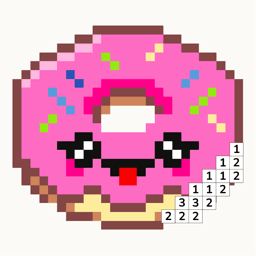
Pixfun vs Sandbox Coloring: Pixel Art Apps Compared
Both apps color pixel grids by number. Pick Sandbox Coloring for its free-drawing canvas, community gallery, and years of established polish. Pick Pixfun to generate your own puzzles: type a prompt, get a colorable pixel artwork in about a minute. Both cost $39.99 a year — Sandbox unlocks a fixed catalog; Pixfun adds monthly AI credits on top of the full library. Pixfun is free to download on iOS and Android.
Updated
| Feature | Pixfun | Sandbox Coloring |
|---|---|---|
| Art type | Pixel color-by-number — every pixel numbered, tap to fill | Pixel color-by-number, plus a free-drawing mode |
| Library size | 10,000+ curated artworks in 15 categories | Sizable catalog with collections and search; much of it membership-gated |
| AI generation | AI Studio — type any prompt, 10 styles, ready in about a minute | No prompt-based generation |
| Photo import | Turn a camera or library photo into a colorable pixel puzzle | Photo-to-pixel import supported |
| Pricing model | Free download; Pro from $3.49/week, $7.99/month, or $39.99/year | About $2.99/week, $7.99/month, or $39.99/year; membership unlocks most art |
| Free trial | 3-day trial on weekly, 7-day trial on yearly | 7-day trial before the subscription starts |
| Ads | Some ads on the free tier; rewarded ads always optional | Ad-supported outside membership |
| One-time no-ads purchase | $9.99 removes interstitials and banners forever | None advertised — membership is the main path |
| Calm design | No timers, no move limits; streaks and coins stay optional | Relaxed coloring too, though reviews call it dated next to bigger rivals |
| Availability and platforms | iOS and Android — free download | iOS and Android, with years on both stores |
Choose Pixfun if…
- You want to color exactly what you imagine — type a prompt, pick one of 10 styles, get a new puzzle in about a minute
- You want your $39.99/year to include monthly AI credits and coins, not just access to a fixed catalog
- You prefer a one-time $9.99 no-ads purchase over a subscription-only path
- You like gentle progression — daily streaks, AI credits, coins, and cheering you on
Choose Sandbox Coloring if…
- You want a free-drawing canvas to make pixel art by hand — Pixfun has no freehand mode
- You want a community gallery with featured art from other players
- You want an app with years of maturity and accumulated reviews behind it
- You do not care about AI and just want a proven pixel catalog to work through
Is Sandbox Coloring free to use?
Sandbox Coloring is free to download, but much of its catalog sits behind a membership — users report hitting locked artworks early. Membership runs about $2.99 a week, $7.99 a month, or $39.99 a year after a 7-day trial. Pixfun is also free to download with a Pro tier at $3.49 a week, $7.99 a month, or $39.99 a year — but Pixfun Pro includes monthly AI credits and coins on top of unlocking every artwork. Free players in Pixfun keep the full color-by-number experience, a daily coin claim, and optional rewarded ads for bonus coins.
Which app has better AI?
Pixfun, plainly — Sandbox Coloring has no prompt-based AI at all. In Pixfun's AI Studio you type anything ("A brown owl peeking out of a hollow"), pick one of 10 styles like Kawaii, Cyberpunk, or Noir, and get a brand-new colorable puzzle in about a minute for 1 AI credit. There is a "Surprise me" dice when you are out of ideas, automatic prompt enhancement, and optional background removal. Sandbox's creative tool is different: a free-drawing mode where you place pixels yourself. If you would rather draw than prompt, that is a genuine point in Sandbox's favor.
Can both apps turn photos into pixel puzzles?
Yes — this is where the two apps genuinely overlap. Both Sandbox Coloring and Pixfun can take a photo from your camera or library and convert it into a colorable pixel puzzle. In Pixfun you then color it like any other artwork: numbered pixels, tap to fill, three canvas sizes from Easy 32×32 up to Hard 96×96. So if photo import is your main reason for choosing, either app covers you. The difference shows up after the photo: Pixfun can also generate art from a text prompt, while Sandbox leans on its existing catalog and community art.
What does $39.99 a year buy in each app?
The yearly price is identical; the contents are not. In Sandbox Coloring, $39.99 a year unlocks the membership catalog — a fixed list of artworks someone else chose. In Pixfun, $39.99 a year (with a 7-day free trial) unlocks all 10,000+ artworks, removes ads and watermarks, and adds monthly AI credits plus coins — part of the price pays for puzzles that did not exist until you asked for them. If a big ready-made catalog is all you want, Sandbox's list may feel safer. If you want the catalog plus your own ideas, the same price does more in Pixfun.
Does Pixfun have a free-drawing mode like Sandbox?
No. Sandbox Coloring wins this one outright: its free-drawing mode lets you place pixels on a blank canvas, with featured community art to browse, and Pixfun offers nothing like that. Pixfun's creative outlet works differently — you describe what you want and the AI Studio builds the puzzle, or you feed it a photo. That suits people who want to color rather than draw. If making pixel art by hand is the point for you, choose Sandbox. If your ideas outrun your drawing hand, Pixfun's prompt box does the drawing for you.
Frequently asked questions
Is Pixfun out yet?
Yes — Pixfun is available now on the App Store and Google Play, free to download. It is new on the stores, so its ratings are still accumulating, while Sandbox Coloring has years of reviews behind it — which is why this page sticks to features and pricing rather than star counts.
Are Pixfun and Sandbox Coloring the same kind of game?
Mostly, yes. Both are pixel color-by-number apps: every artwork is a grid of numbered pixels, and you tap to fill them. Sandbox adds a free-drawing mode and community art on top. Pixfun adds AI generation, photo import, and gentle gamification — daily streaks, AI credits, coins, and cheering you on.
Which app is cheaper?
Yearly and monthly they match: $39.99 a year, $7.99 a month. Weekly, Sandbox is about $2.99 to Pixfun's $3.49. Pixfun also offers something Sandbox does not advertise: a one-time $9.99 purchase that removes interstitial and banner ads forever, no subscription needed. Prices are in USD, set by the app stores, and may vary by region.
Do I need an account to play Pixfun?
No. Pixfun works anonymously by default — download, tap, color. If you want streaks, coins, and artworks synced across devices, you can sign in with Apple, Google, or email, but it stays optional. No timers, no move limits, no pressure either way.