
50 Pixel Art Prompt Ideas to Generate and Color
Fifty ready-to-use pixel art prompts across ten cozy categories, plus a simple formula for writing your own and coloring the results in Pixfun.
By Paweł Tymczuk · · Updated
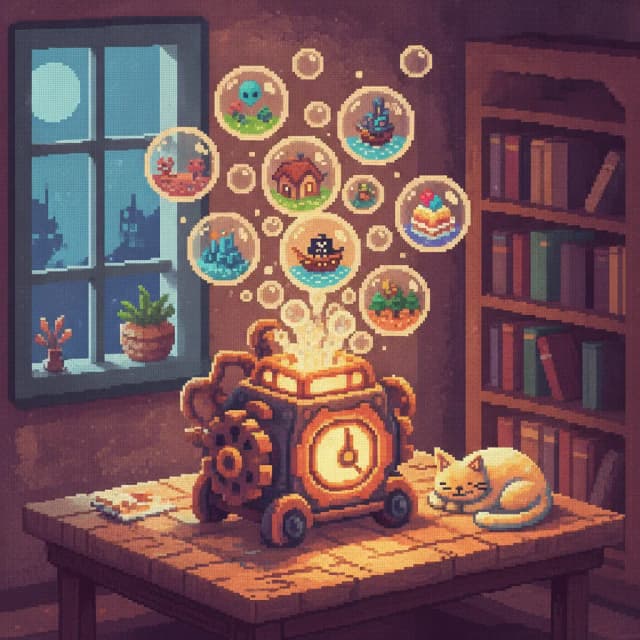
The best pixel art prompts follow one small formula: a concrete subject, one mood, one setting. Below are 50 ready-to-use prompt ideas across ten categories, each written to work well in an AI pixel art generator like Pixfun. Paste one in, pick a style, and you get a brand-new color-by-number puzzle in about a minute.
What makes a good pixel art prompt?
A good pixel art prompt names one clear subject, adds one mood word, and places it in one setting. That's it. Pixel grids are small. A single focal point reads far better than a busy scene stuffed with adjectives. "A sleepy dragon curled around a lighthouse at dusk" works; a paragraph about scales and weather patterns doesn't.
Two helpers in Pixfun's AI Studio make this even easier. The Surprise me dice rolls a random prompt when your brain's on break. And automatic prompt enhancement quietly fills in useful detail behind the scenes, so even a three-word idea comes out looking intentional. If you want the deeper theory, our AI pixel art generator guide covers it.
Now, the list. Steal freely.
Cozy & Calm
- A sleepy dragon curled around a lighthouse at dusk
- A cat napping on a stack of warm laundry by a rainy window
- A steaming mug of cocoa on a windowsill during a snowstorm
- A reading nook with a lantern, a quilt, and one sleeping fox
- A tiny cabin with glowing windows deep in a quiet pine forest
These suit Pixfun's Pastel style for soft edges, or Classic if you want warmer, grounded colors.
Kawaii Food
- A smiling strawberry shortcake wearing a whipped-cream hat
- Three happy onigiri having a picnic on a bamboo mat
- A blushing bowl of ramen with two sleepy egg faces
- A winking donut floating in a sky of pink sprinkles
- A shy dumpling hiding under a lettuce-leaf blanket
Obvious pick: the Kawaii style, with Pastel as the gentler runner-up.
Animals Being Small
- A hamster asleep inside a teacup on a sunny table
- A duckling wearing a raincoat two sizes too big
- A hedgehog carrying one raspberry across a garden path
- A kitten curled up inside a knitted slipper
- A brown owl chick peeking out of a hollow at sunrise
Kawaii makes them rounder; Cartoon gives them a bit more personality.
Fantasy
- A moonlit castle floating above a sea of clouds
- A witch's cottage on chicken legs wandering through a misty bog
- A knight sharing lunch with a friendly griffin on a hilltop
- A crystal cave lit by lanterns and one curious ghost
- An elf market at twilight, stalls strung with tiny lights
The Fantasy style was made for these, though Anime softens them nicely.
Sci-Fi & Space
- A small robot watering a single flower on Mars
- A neon diner on an asteroid, open all night
- An astronaut cat drifting past a ringed purple planet
- A space station window with Earth rising outside
- A retro rocket parked in a meadow under two moons
Go Cyberpunk for the neon ones, or 8-Bit Retro for that classic space-game feel.
Seasons & Holidays
- A snowman in a striped scarf under soft falling snow at dusk
- A pumpkin patch glowing with lanterns on a foggy October evening
- A cherry-blossom picnic beside a calm spring river
- A gingerbread village under a candy-cane streetlamp
- Autumn leaves swirling around a red mailbox on a quiet street
Classic keeps holiday colors true; Pastel turns them dreamy.
Tiny Places
- A miniature bookshop built inside a hollow tree stump
- A one-table cafe on a cliff overlooking a calm sea
- A tiny island with one palm tree and one deckchair
- A mushroom cottage with a round door and a smoking chimney
- A rooftop greenhouse glowing at night above a sleepy city
Try Classic for charm or Anime for that storybook-background glow.
Retro Gaming
- An 8-bit knight facing a friendly slime in a torch-lit dungeon
- A glowing arcade cabinet alone in a dark room
- A top-down village with a fountain save point in the square
- A side-scrolling forest level with floating rings of coins
- A game-over sunset with two players walking home together
No surprise here: 8-Bit Retro's the one.
Nature & Gardens
- A koi pond with lily pads under morning mist
- A sunflower field bending toward a low golden sun
- A terrarium world with moss hills and a tiny waterfall
- A vegetable garden with one proud snail on the fence post
- A rainstorm over rice terraces, seen from a covered porch
The Nature style is built for greens and skies like these.
Slightly Weird (in a nice way)
- A whale drifting through the sky above a wheat field
- A frog in a tiny suit waiting at a bus stop in the rain
- A vending machine in the forest selling bottled starlight
- An octopus barista pouring eight lattes at once
- A lone door standing open in a meadow, warm light spilling out
Cartoon leans into the joke; Noir makes the weirdness feel like a quiet short film.
How do you use these prompts in Pixfun?
Four steps, about a minute of waiting, zero drawing required.
- Paste a prompt into Pixfun's AI Studio — or tap the Surprise me dice and let it pick for you.
- Pick a canvas size. Choose from 48×48, 64×64 and 96×96, shown as dimensions. Use at least 64×64 for clearer generated subjects, or 96×96 for fuller scenes. The default is 96×96.
- Pick one of ten styles — Classic, Kawaii, 8-Bit Retro, Cyberpunk, Fantasy, Anime, Pastel, Noir, Nature, or Cartoon. Ten styles. One tap.
- Generate and color. One AI credit, roughly a minute, and out comes a numbered pixel grid. Tap to fill. No timers, no move limits.
Prompt enhancement runs automatically, and you can toggle background removal if you want your subject floating clean on the canvas. Mix and match: the same prompt in Kawaii and Noir gives you two very different coloring sessions.
You can also turn a photo into pixel art instead — same colorable grid, different starting point. For everything else about how generation works, the full AI pixel art guide has you covered.
Type it. See it in pixels. Pixfun's available now on the App Store and Google Play — download Pixfun and bring prompt number 46 with you. The sky whale's waiting.
Frequently asked questions
What makes a good pixel art prompt?
Keep it to one concrete subject, one mood, and one setting — for example, a sleepy dragon curled around a lighthouse at dusk. Pixel grids are small, so a single clear focal point reads better than a crowded scene. Skip long adjective chains; the mood word does that work. If you get stuck, Pixfun's automatic prompt enhancement fills in helpful detail for you.
How long does AI pixel art generation take in Pixfun?
About a minute. Type a prompt in Pixfun's AI Studio, pick one of ten styles, and the app builds a brand-new color-by-number puzzle from it. Each generation costs one AI credit. If you would rather not think of a prompt at all, tap the Surprise me dice and Pixfun rolls a random idea for you.
Which canvas size should I pick for a generated puzzle?
Pixfun AI Studio offers 48×48, 64×64 and 96×96, with dimensions as labels and 96×96 selected by default. Choose at least 64×64 for a clearer visual representation of generated subjects, or 96×96 for fuller scenes. Keep the main shape clear; cell count alone does not tell you how long coloring will take.
Do I need drawing skills to use these prompts?
No. Pixfun turns your prompt into a color-by-number puzzle, so the drawing part is already done. Every pixel in the grid carries a number that matches a color; you just tap to fill. There are no timers and no move limits, so you can color a generated artwork as slowly as you like. No skill. Just calm.