
Why Pixel Art Coloring Feels So Calming (and How to Build a Daily Habit)
Why color-by-number pixel art feels so calming, and how to turn 5-15 quiet minutes a day into a gentle coloring ritual with Pixfun.
By Paweł Tymczuk · · Updated
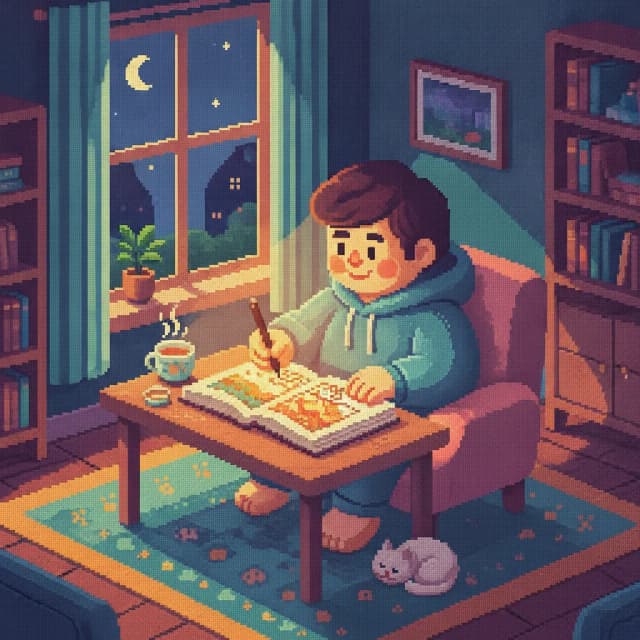
Pixel art coloring feels calming because it shrinks a creative act down to one small, clear decision at a time: find the number, tap the pixel, watch the picture grow. There's no blank canvas, no skill test, and in a well-designed app, no clock. This post looks at why that works so well for winding down, and how to turn it into a tiny daily ritual with Pixfun.
Why do simple, repetitive tasks feel calming?
Many people find repetitive, low-stakes tasks soothing for three reasons: the choices are limited, the next step is always obvious, and progress is visible. Color-by-number delivers all three at once. Every pixel already knows what color it wants to be. Your only job is to find it and tap.
Compare that to the rest of a normal day. Most of what we do involves open questions, competing priorities, and results we can't see for weeks. A numbered pixel grid is the opposite: a closed, friendly system where every action has an immediate, visible effect. You tap, a cell fills, the picture is slightly more complete than it was a second ago.
Design choices matter here too. Pixfun has no timers and no move limits, so there's nothing to beat and no way to fall behind. The grid simply waits. Some people fill regions methodically, one number at a time. Others hop around the canvas following whatever catches their eye. Both are correct, because there's no wrong way to fill a grid.
That combination — limited choices, a clear next step, steady visible progress — is why so many people describe pixel coloring as a way to let their thoughts settle. The hands stay gently busy while the picture takes shape.
What makes color-by-number lower pressure than freehand art?
The short answer: no blank canvas and no skill judgement. Freehand drawing starts with an empty page and a quiet question: what if it turns out bad? Color-by-number removes that question entirely. The image is already designed, the palette is already chosen, and the outcome is guaranteed to look right.
A blank page asks you to be an artist. A numbered grid only asks you to show up. That difference is bigger than it sounds. Many adults quietly gave up on drawing years ago because their hands couldn't match the picture in their head. Color-by-number sidesteps that gap completely: the picture in the app is the picture you'll finish.
There's also no comparison trap. Your finished owl looks like everyone else's finished owl, which is exactly the point. The satisfaction comes from the process and the completion, not from proving anything.
If you're new to the format, our beginner's guide to pixel art coloring walks through how the numbered grid works and how to pick your first canvas.
How do you build a tiny daily coloring ritual?
Keep it small: 5 to 15 minutes, at the same rough time each day, attached to something you already do. Habits stick when they're easy to start and easy to finish, so a short session you actually repeat beats a long one you keep postponing.
A few practical moves:
- Pick an anchor. After your morning coffee, on the train, or as the last screen before bed. The anchor does the remembering for you.
- Start on Easy. Pixfun's Easy canvases are 32x32 pixels — small enough to finish across one or two short sittings, so you get regular completed pictures instead of a backlog of half-done ones. Medium (64x64) and Hard (96x96) are there when you want a longer unwind.
- Stop while it still feels good. Ending mid-picture is fine. The grid saves your progress and waits.
- Let streaks do the gentle accountability. Pixfun tracks a daily streak and hands out coins and XP for showing up — not for speed, and not for volume. Opening the app and coloring a few pixels keeps the streak alive. There's also a daily coin claim, so even a one-minute visit counts for something.
- Keep it judgement-free. If you miss a day, you miss a day. The point of the ritual is the calm, not the scorekeeping.
Pixfun works anonymously by default, so there's no sign-up wall between you and your first pixel. If you later want your streak and progress on both your phone and tablet, an optional sign-in with Apple, Google, or email syncs everything across devices.
Which subjects are the calmest to color?
Mandalas, nature scenes, and kawaii food are the classic picks. The symmetry in mandalas gives your hands a rhythm to settle into. Nature art leans on soft greens and blues, and kawaii subjects are friendly little characters that are hard to take too seriously, which is the point.
Pixfun's library holds 10,000+ curated artworks across 15 categories, and the calm corners are easy to find: Mandala, Nature, Kawaii, Food, Cute, and Animal are all one tap from the home screen. If you like a small dose of the unexpected, the Surprise category picks for you.
You can also make your own calm. Pixfun's AI Studio turns any prompt into a brand-new colorable puzzle in about a minute: type it, see it in pixels. Try something quiet and specific, like the in-app example "A brown owl peeking out of a hollow", and pick a soft style such as Pastel or Nature from the ten available.
Each generation costs one AI credit, and a "Surprise me" dice will roll a prompt for you when you'd rather not decide. For a stash of gentle prompt ideas, see our pixel art prompt ideas list. And if your calm place is a real one, photo-to-pixel can turn a picture from your camera roll into a puzzle.
When is a coloring app not the answer?
An honest note: a coloring app is a pleasant way to unwind, and that's all it claims to be — if you're dealing with real distress, that deserves real support from a professional or someone you trust, not a pixel grid.
For the ordinary evenings, though — the restless scrolling, the mind that won't quite switch off — a small grid of numbered pixels and ten quiet minutes can be exactly enough.
Ready to find your ten quiet minutes?
Pixfun is free and available now on the App Store and Google Play. It's waiting with a fresh grid and your first daily coin. Download Pixfun and start your streak today.
Frequently asked questions
Why is pixel art coloring relaxing?
Many people find pixel art coloring calming because it reduces a creative task to one clear step at a time: find a number, tap a pixel, repeat. There is no blank canvas to face and no skill being judged. Apps like Pixfun add to that by removing timers and move limits, so nothing rushes you and progress is always visible on the grid.
How long should a daily coloring session be?
Five to fifteen minutes is plenty for a daily habit. Short sessions are easier to repeat than long ones, and repetition is what makes a ritual stick. Pick a consistent anchor, like your morning coffee or the last minutes before bed, and stop while it still feels good. Pixfun's daily streaks reward simply showing up, not how fast or how much you color.
What canvas size is best for relaxing?
Start with the smallest one. In Pixfun, Easy canvases are 32x32 pixels, which most people can finish in one or two short sittings. Finishing matters more than difficulty for relaxation, because a completed picture is a small, visible win. Once short sessions feel routine, Medium 64x64 and Hard 96x96 canvases give you a slower, longer unwind.
Which subjects are the calmest to color?
Mandalas, nature scenes, and kawaii food are popular calm picks. Mandalas are symmetrical and predictable, nature palettes lean on soft greens and blues, and kawaii art is friendly by design. Pixfun's library has over 10,000 curated artworks across 15 categories, including Mandala, Nature, Kawaii, and Food, so there is always a low-pressure subject ready to open.
Is Pixfun free to use?
Yes, Pixfun is free to download on the App Store and Google Play. You can color anonymously right away, with no account required. An optional Pixfun Pro subscription unlocks the full library, removes ads and watermarks, and adds monthly AI credits and coins. There is also a one-time purchase that removes interstitial and banner ads forever.