
20 Halloween Pixel Art Ideas to Generate and Color
Try 20 Halloween pixel art prompts, from cocoa ghosts to moonlit cabins, with suggested styles, grid sizes, and tips for readable coloring puzzles.
By Paweł Tymczuk ·
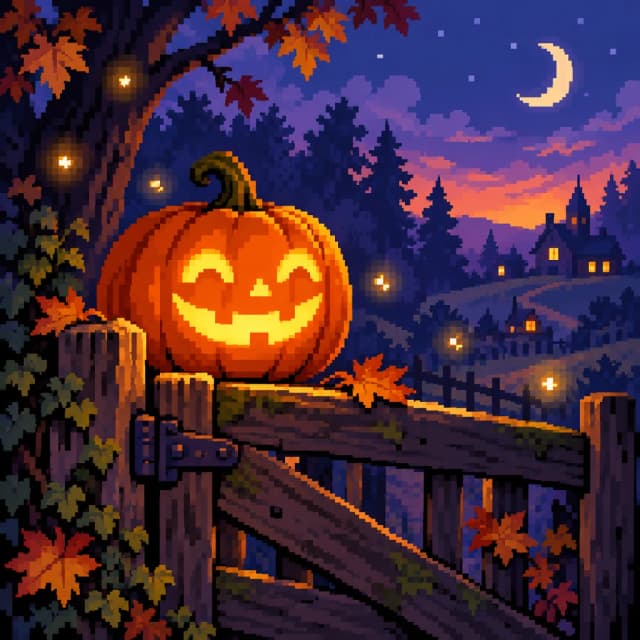
Halloween pixel art works well when you start with a clear shape: a pumpkin, a ghost, a cat, or a crooked little house. The 20 ideas below pair an original prompt with a suggested style and grid size, from simple subjects to fuller scenes. Use them as starting points for color by number puzzles, then simplify anything that feels crowded. Cute-spooky is a perfectly respectable level of spooky.
The style and size suggestions use the options in Pixfun. These prompts haven't been tested in the app. The covers and the illustration sheet below were generated outside Pixfun as editorial concepts; they're not screenshots or examples of verified in-app results.
Which Halloween ideas are easiest to start with?
Start with one subject and a quiet background. A readable silhouette does more work than a long list of decorations. Set the canvas to at least 64×64 for a clearer visual representation of the subject and its details.
-
A ghost with a cocoa mug. Prompt: “A friendly white ghost holding an orange mug of cocoa, with two round eyes and a soft wavy outline, on a plain plum background.” Try Kawaii. Keep the mug chunky; leave out floating marshmallows if they compete with the face.
-
A sleepy jack-o'-lantern. Prompt: “A round orange jack-o'-lantern with sleepy crescent eyes and a small smile, one curled green stem, warm light inside, on a dark blue background.” Try Classic. A broad expression gives the pumpkin character without needing lots of small marks.
-
A purple witch hat. Prompt: “A floppy purple witch hat with a wide brim, an orange band and one gold buckle, leaning slightly to the side, on a plain midnight-blue background.” Try 8-Bit Retro. Let the bend in the hat be its main detail.
-
A smiling potion bottle. Prompt: “A round glass potion bottle filled with bright green liquid, a cork stopper and a tiny friendly face, on a plain dark violet background.” Try Cartoon. A wide bottle is easier to recognize than a thin flask with a complicated neck.
-
A bat wrapped in its wings. Prompt: “A small charcoal-gray bat wrapped snugly in its wings, pointed ears and two amber eyes, on a plain dusty-purple background.” Try Kawaii. The folded wings keep the shape compact and make this bat look ready for a nap.
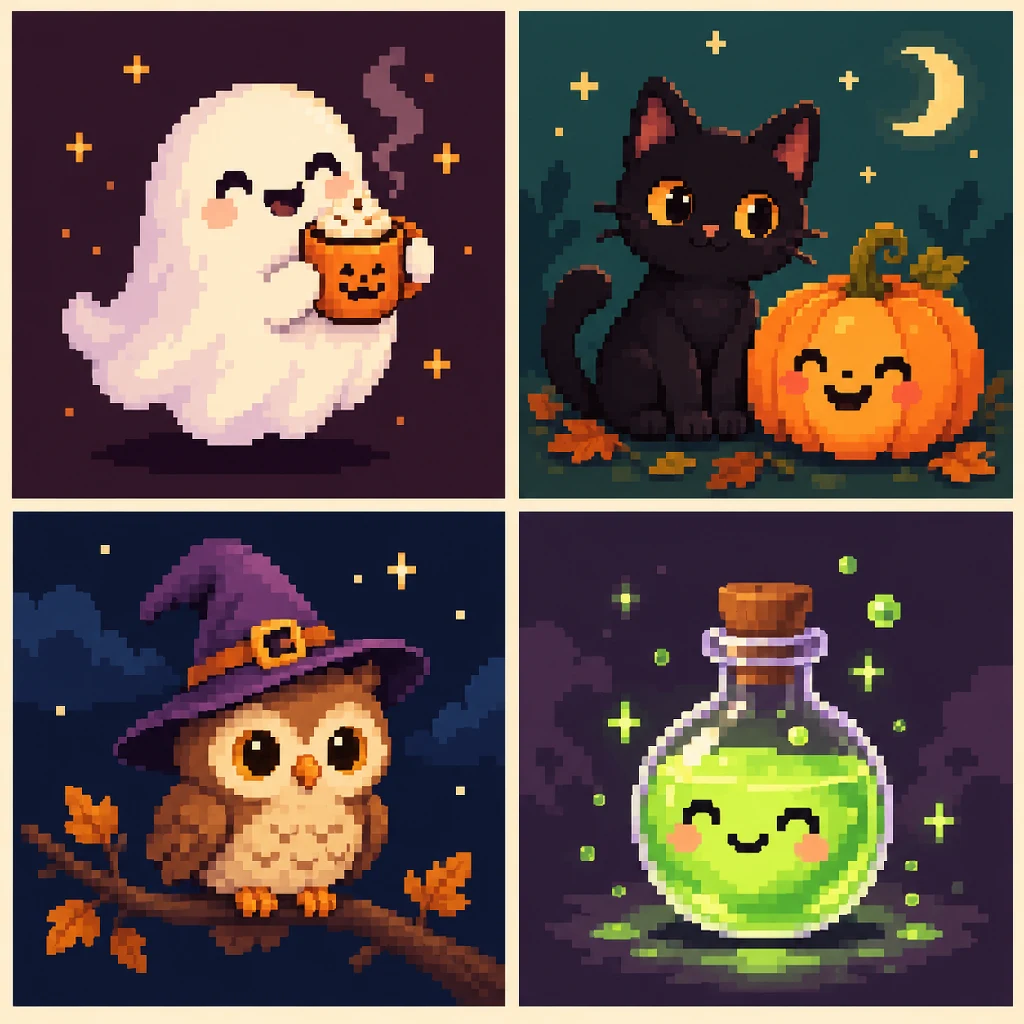
Illustrative concepts generated outside Pixfun. This sheet is inspiration for subjects and color contrast, not a screenshot, an exact grid-size reference, or a set of tested prompt results.
Which ideas add a little more personality?
A second object can tell a small story: a cat guarding a pumpkin, an owl trying on a hat, or a mushroom sheltering a lantern. Try 64×64 for these pairs so both shapes have room.
-
A black cat guarding a pumpkin. Prompt: “A black cat with amber eyes sitting beside one glowing orange pumpkin, curled tail, a few fallen leaves, cool teal evening background.” Try Classic. Keep some lighter space behind the cat so its outline doesn't disappear into the night.
-
An owl in a witch hat. Prompt: “A small brown owl wearing a slightly oversized purple witch hat, perched on a short branch, round golden eyes, quiet midnight-blue background.” Try Kawaii. The eyes and the hat already carry the idea; it doesn't need a broom as well.
-
A candy corn cottage. Prompt: “A tiny cottage shaped like a piece of candy corn, orange walls, cream roof tip, yellow doorstep, one round window glowing at dusk.” Try Cartoon. Ask for the color bands and one window rather than an entire street of candy houses.
-
A mushroom lantern. Prompt: “A red-capped woodland mushroom sheltering a small orange lantern, moss around its stem, two fallen autumn leaves, softly lit forest floor.” Try Nature. The mushroom cap gives the scene a strong umbrella shape; let the lantern provide the warm accent.
-
A ghost reading a book. Prompt: “A friendly little ghost reading an open purple book beside a candle, warm amber light, a simple dark blue room.” Try Pastel. Make the book a broad shape. There's no need to ask for readable words on its pages.
For more subjects you can adapt beyond Halloween, our pixel art prompt ideas start with the same approach: one concrete thing doing something small.
Which prompts make Halloween feel like a story?
Give a familiar Halloween object a job or a place to live. These suggestions also start at 64×64. If the result feels busy, remove a prop before moving to a bigger grid.
-
A pumpkin carrying its own lantern. Prompt: “A cheerful pumpkin creature carrying a tiny lantern on a stick, short boot-shaped feet, walking across a simple patch of autumn leaves at twilight.” Try Fantasy. Keep the lantern separate from the face so the two warm lights don't blur together.
-
A broom parked for the night. Prompt: “A straw broom leaning against a crooked purple cottage door, one pair of orange boots on the step, soft light beneath the door, nighttime.” Try Classic. The empty doorway suggests a story without adding a whole character to the scene.
-
A snail in a pumpkin shell. Prompt: “A small smiling snail whose shell is a round orange pumpkin, one curled stem on top, crossing a mossy stone in gentle moonlight.” Try Kawaii. The contrast between the low snail body and the round shell makes the subject easy to recognize.
-
A moonlit raven. Prompt: “A dark raven perched on a pale fence post beneath a crescent moon, a few orange leaves caught along the fence, quiet indigo sky.” Try Noir. Give the raven a clear outline against the sky rather than surrounding it with black branches.
-
A potion shop window. Prompt: “A small arched shop window with three chunky potion bottles in green, orange and purple, wooden shelves, warm light inside, dark stone outside.” Try Fantasy. The bottles need different shapes as well as colors; skip labels and tiny price tags.
Which ideas need room for a fuller scene?
Use 96×96 as a starting suggestion when the setting matters as much as the subject. Even here, choose one focal point. More room is useful; filling every corner isn't required.
-
A cabin beside a pumpkin patch. Prompt: “A cozy wooden cabin with one glowing window beside a small pumpkin patch, tall blue pine trees behind it, an orange harvest moon, calm autumn night.” Try Nature. Let the lit window lead the eye, with pumpkins forming a simple foreground.
-
A friendly haunted greenhouse. Prompt: “A crooked glass greenhouse containing large curling plants and two friendly little ghosts, warm lantern inside, fallen leaves on the path, violet dusk.” Try Fantasy. Ask for broad window panes so the glass structure doesn't turn into a mesh of tiny lines.
-
A Halloween bakery counter. Prompt: “A cozy bakery counter with pumpkin-shaped biscuits, one steaming mug and a small ghost-shaped cake, warm amber lighting, dark plum shelves behind.” Try Pastel. Limit the treats to a few large shapes instead of requesting a packed display of miniature cakes.
-
A neon pumpkin vending machine. Prompt: “A single purple vending machine selling glowing pumpkin lanterns, chunky orange buttons, teal pavement, quiet rainy night, no writing on the machine.” Try Cyberpunk. This gives Halloween a different palette while keeping the machine as one recognizable block.
-
A ghost waiting at a woodland station. Prompt: “A friendly white ghost with a small orange suitcase waiting on an empty wooden train platform, one warm lantern, blue forest beyond, crescent moon.” Try 8-Bit Retro. Leave the station signs blank. The suitcase and lantern are enough to explain the wait.
How can you make a Halloween prompt easier to read?
Build the prompt around subject, action, and setting. “A ghost holding cocoa on a plum background” gives the image a clear job. “An epic Halloween scene with everything spooky” leaves much more to chance.
- Choose one focal point. A pumpkin beside a cat is manageable. A cat, a pumpkin, a castle, a full moon, bats, candy, and a parade all compete for space.
- Separate dark shapes. A black cat needs a lighter patch behind it. A white ghost needs enough contrast from its background to keep its edges visible.
- Use broad details. A wide hat brim, a round bottle, and a big window survive a small grid better than lace, lettering, or individual strands of hair.
- Change one thing at a time. If a result misses the idea, simplify the setting or change the style. Rewriting every part makes it harder to see what helped.
The sizes in this article are suggestions, not measured outputs or guarantees. A simple prompt can still produce an unexpected picture. For more help choosing your words, see the AI pixel art generator guide.
How do you turn one of these ideas into a Pixfun puzzle?
Pixfun AI Studio turns a text prompt into a new numbered pixel puzzle. Pick one idea from the list, then use its style and size suggestion as a starting point.
- Open AI Studio while connected. New AI generations need internet. Paste your chosen prompt, or rewrite its subject, mood, and setting in your own words.
- Choose the style and canvas size. Set the canvas to at least 64×64 for a clearer visual representation of these Halloween ideas. Choose 96×96 for fuller scenes that need more room for their setting and details.
- Generate the puzzle. Each generation costs one AI credit and takes about a minute. Check the result before deciding whether to spend another credit on a revision.
- Color the numbered cells. Select a color and tap its matching cells, zooming when you need a closer view. Our pixel art coloring guide covers the basics.
This is a coloring flow, not a freehand sprite editor. You can save and share a finished piece personally; commercial use of AI-generated artwork requires written permission under our terms.
Already have a Halloween decoration you'd rather color? Our photo-to-pixel-art guide explains that separate option. Photo conversion uses your photo's own pixels rather than generating a new scene from a prompt.
Which little Halloween scene will you start with?
Choose the one you can picture most clearly: the sleepy pumpkin, the cocoa ghost, or the cat keeping watch. Download Pixfun to try turning that idea into a colorable puzzle.
One ghost and one mug are plenty for an evening.
Frequently asked questions
What are easy Halloween pixel art ideas for beginners?
A single ghost, pumpkin, potion bottle, or witch hat is a useful starting point. Give it a clear silhouette and a plain background. Set your Pixfun canvas to at least 64×64 for a clearer visual representation, and keep the prompt focused on a few broad details.
Which grid size should I use for Halloween pixel art?
Use at least 64×64 for these Halloween ideas so the subject and its details have room to read clearly. Choose 96×96 for a fuller scene. These are starting suggestions, not guarantees: an AI result can vary, and extra pixels do not automatically fix an overcrowded idea.
Can I generate Halloween color by number pictures in Pixfun?
Yes. Type an original Halloween idea in Pixfun AI Studio, choose a style and canvas size, and generate a numbered pixel puzzle. Each generation costs one AI credit and takes about a minute. Pixfun is available now on the App Store and Google Play.
Are the example illustrations tested Pixfun results?
No. The covers and four-panel inspiration sheet are editorial illustrations generated outside Pixfun. They show the kinds of subjects you might try, not screenshots or verified in-app outputs. The prompts in this article are original suggestions and have not been tested in Pixfun.
Can I sell Halloween artwork generated in Pixfun?
Pixfun’s terms allow personal use of finished artwork; commercial use of AI-generated artwork requires written permission. You can save and share a finished picture personally, but do not assume that generating it gives you a license to sell prints or merchandise.